RL Crate Simulator Halloween Spooky Event Guide
Spooky Pass, Collection crate, tasks, and SPOOKY paint priorities while the event is live.
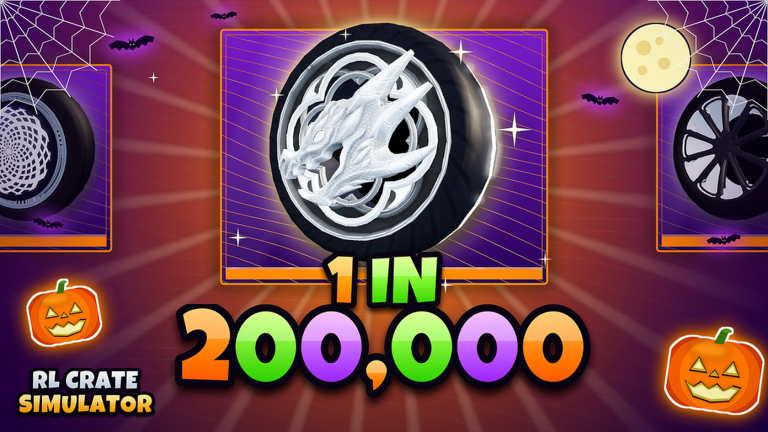
Halloween overview
Blue Bear Games Studio’s Halloween layer on RL Crate Simulator centers on Spooky branding: a Spooky Pass with 30 tiers, a Spooky Collection crate, Spooky tasks, and the SPOOKY paint finish. It sits on top of live Season 1 ranks (Bronze→SSL) rather than replacing them. This guide explains what to claim first, which crate to feed, and how traders should react when Spooky supply spikes.
November 2026 status: Spooky systems were still featured on the Roblox place description into November, and the place itself was last updated 11/8/2026. Always verify whether Pass / Collection / task panels remain on your client before skipping event objectives—live-ops text can outlast the calendar holiday week.
Also read: Season 1, Updates Hub, best crates, best paints & certs, How to Get Keys.
Spooky Pass — 30 tiers
The Spooky Pass is the structured reward track. Thirty tiers means a clear checklist: log in, complete tasks, and collect cosmetics/resources as you climb. Pass rewards often include items that later appear in trade chat, so finishing early can either flex first or sell into early hype.
Pass tips
- Clear easy Spooky tasks daily before free-roam opening.
- Do not spend your entire key bank on unrelated crates while free pass XP is unfinished.
- Screenshot tier rewards you might trade later.
- If a paid pass track exists in your client UI, evaluate cost vs how many tiers you will realistically finish—never impulse on day one without reading remaining task load.
Spooky Collection crate
While the event is active, Spooky Collection jumps near the top of open priority—often above generic Champions dumps for players who still need event paints or pass synergy. Details and comparisons: best crates.
Open Collection when:
- You are chasing SPOOKY paint.
- Pass/tasks nudge you toward Collection opens.
- Trade premiums for Spooky items are elevated.
Ease off when:
- You already finished sets and premiums crashed after mass completions.
- Season 1 SSL funding needs Champions/RLCS prestige more than another mid Spooky topper.
Spooky tasks
Tasks are the engine of pass progress and bonus loot. Treat them like mini contracts:
- Read the task text in-game carefully (open count, battle count, trade actions, etc.).
- Batch objectives—finish two tasks in one session when they share modes.
- Combine with favourite/group key income from the Codes Hub so tasks are not your only currency story.
- Avoid “finish later” piles; Halloween windows end.
SPOOKY paint
SPOOKY is the headline seasonal paint. It behaves like other premium paints—strongest on wheels and bodies, especially with Striker—but its supply curve is event-shaped. Early pulls can print keys; late-event floods can soften prices.
Paint strategy
- Early event: consider flipping extras for key banks.
- Mid event: build matched garage presets if you collect.
- Late event: stop panic-buying mid duplicates; finish pass instead.
- Always verify paint in the trade window (trading guide).
Stack SPOOKY with cert knowledge from best paints & certs. Black/TW still matter year-round—do not delete your core economy for only Spooky.
Session plan (Halloween week)
- Favourite (+10 keys) + Blue Bear Games Studio group bonuses if not done.
- Check Codes for any fresh promo (Nov 2026 baseline: none active).
- Clear Spooky tasks → claim Pass tiers.
- Open Spooky Collection with a capped key budget.
- Sort pulls: SPOOKY/Striker keeps vs fodder for trade-ups/upgrader.
- List extras across servers; hop if chat is dead.
- Spend remaining time on Season 1 battles/1v1s so rank does not stall.
- Stop if you are tilting into random Non Crate rage opens.
Economy side effects
Halloween injects items fast. Expect:
- Trade chat spam full of Spooky ads.
- Temporary underpays from new players who skip Getting Started.
- Collectors overpaying for clean SPOOKY Striker wheels.
- Post-pass price cooling as tiers complete.
Smart traders take notes daily. Soft data beats vibes.
Safety notes during events
Scammers love FOMO. Refuse trust trades, fake “limited code” sellers recycling TRADESERVER/RLCS strings, and paid “auto Spooky farm” pitches. Script reality checks belong on Scripts—Project Stark exists, but ban risk does not take a holiday.
After Halloween
When the event UI disappears:
- Re-rank crates toward Champions/RLCS/Player’s Choice.
- Keep remaining SPOOKY pieces as collector inventory or slow-burn trades.
- Return focus to Season 1 SSL goals.
- Watch Updates for the next live-ops layer.
Related pages
Bottom line
Play Halloween for the Spooky Pass (30 tiers), Spooky Collection, Spooky tasks, and SPOOKY paint—but keep Season 1 funding intact. Claim tasks early, open Collection with a budget, trade cert-aware, and leave scams behind. When the pumpkins despawn, your SSL climb and TW/Black economy should still be standing.
Frequently Asked Questions
Quick answers to the most common questions.
What is the Spooky Pass in RL Crate Simulator?
A Halloween reward track with 30 tiers. Complete Spooky tasks and play loops to climb tiers and claim event rewards.
Should I open Spooky Collection crates?
Yes while the event is live if you need SPOOKY paint or pass synergy. Cap your budget so Season 1 prestige opens still get keys later.
Is SPOOKY paint valuable?
It is a premium seasonal paint, especially on wheels/bodies and with Striker. Prices spike early and can cool after many players finish the pass.
Do Spooky tasks replace Season 1 ranks?
No. They overlay Season 1. Do event tasks for time-gated value, but keep Bronze→SSL progression moving with battles and regular play.
Are there special Halloween codes?
Check the Codes Hub whenever the studio drops promos. As of November 2026 there are no active codes; do not buy expired strings from chat sellers.