Getting Started in RL Crate Simulator
Your first-hour checklist: free keys, codes, crates, garage, and what to grind next.
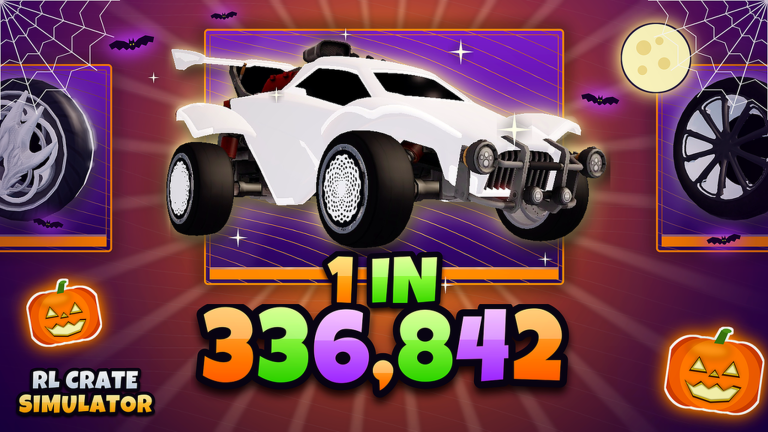
Welcome to RL Crate Simulator, the Roblox crate-opening sim from Blue Bear Games Studio. You open Rocket League–style crates with keys, chase painted and certified pulls, build a garage loadout, climb Season 1 ranks from Bronze toward SSL, and risk items in battles, 1v1s, and the upgrader. This guide is your day-one path so you do not waste the free keys every new player can claim.
Before you open anything
Join the experience from the Roblox page, then lock in the free bonuses that cost nothing but a few clicks:
- Favourite the game — favouriting awards +10 free keys. Do this before your first shopping spree so every early crate is funded by free currency.
- Join the Blue Bear Games Studio group — group membership grants bonus keys and extra XP. Keys fuel opens; XP helps Season 1 rank progress and pass-style rewards when events are live.
- Finish any onboarding or tutorial prompts the server shows. They teach the crate UI, inventory, and where Settings lives.
Keys are the core currency. Almost every crate open, battle entry, or upgrade attempt burns keys or items you earned with keys. Treat early keys like seed capital: spend them on learning the crate list and filling common slots, not on gambling everything into one expensive crate.
Redeem codes (even when the list is empty)
Open Settings on the left side of the HUD, then choose Redeem Code. Paste a code carefully — spaces and capitalization matter — and confirm. As of November 2026 there are no active codes. Expired examples players still search for include TRADESERVER, code1, 200keys, WWW, 70CCU, and RLCS. Those no longer work; bookmark our Codes hub and recheck after updates so you do not miss a short-lived drop.
If a code fails, try again after a rejoin, confirm you are on the latest place version, and make sure you have not already redeemed it on that account. Never buy “private codes” from strangers — free community codes are published by the developers or listed on this wiki when they go live.
Your first crates
The crate menu lists series such as Champions, Player’s Choice, RLCS, Non Crate, and event lines like the Spooky Collection. Cheaper crates teach the rarity ladder and fill inventory fodder for trade-ups. Pricier crates chase rarer bodies, wheels, decals, toppers, and boosts — including chase paints such as Titanium White, Black, Spooky, and Frosted, plus certifications like Striker.
A sensible first session looks like this:
- Open a few low-cost crates to learn the reveal animation and inventory grouping.
- Note which series you enjoy visually; you will farm those later for Item Index completion.
- Keep duplicates. Five matching-rarity fodder pieces can become one higher-rarity item via trade-ups — see How to Trade Up.
- Do not favourite or lock every shiny Common. Favourites and equipped items are harder to feed into trade-ups later.
Titanium White Striker Octane–tier pulls are meme-rare for a reason. Plan around volume and systems (trade-ups, index rewards, tasks), not one jackpot open.
Garage basics
The Garage lets you equip cars, wheels, decals, toppers, and boosts so your avatar matches the inventory you are grinding for. Equip a clean starter set early — it makes the lobby feel like your car and helps you notice when a new paint or cert is worth keeping for flex or trade value. Full loadout and collection strategy lives in Garage and Item Index.
While you are in inventory, learn the difference between:
- Equipped items (on your car right now)
- Favourited / locked items (protected from careless trade-ups)
- Duplicates (prime trade-up or trade fodder)
Protect true chase pieces. Leave common duplicates unlocked so systems can consume them.
Daily and weekly tasks
Claim daily login, daily tasks, and weekly objectives as soon as they complete. Season and event passes (for example Spooky Pass tiers during Halloween) layer extra rewards on top. Auto-claim habits matter: unfinished tasks are free keys and XP sitting on the table. After claiming, dump surplus commons into trade-ups or park a small key budget for the next day’s crate goal.
Season 1 ranks run Bronze → SSL. Rank XP comes from playtime loops — opens, tasks, group bonuses, and event objectives. For the current season roadmap and rank context, read Season 1.
Optional: watch a real session
If you prefer learning by watching opens, inventory, and lobby flow, the embedded stream above shows live RL Crate Simulator gameplay. Use it to recognize UI panels, then return here for the checklist.
Risk modes — wait until you understand value
Once you have a small inventory and understand rarity names, explore competitive and gambling modes carefully:
- Crate battles and 1v1s — stake items or keys against other players; winner takes the pot.
- Upgrader — risk an item for a chance at something bigger.
New players should finish free keys, tasks, and a few trade-ups before dumping a painted Import into a battle pot. Risk modes are fun endgame spice, not day-one homework.
Trading across servers
You can trade with players in any server, which makes finding a deal easier than lobby-only games. Still follow basic Roblox hygiene: confirm both sides of the trade window, never trust “middleman” offers outside the official trade UI, and double-check paints and certs before accepting. High-demand paints (especially Titanium White) and Striker certs move first — know what you are giving away.
Where to go next
Use this wiki as a hub after your first hour:
| Goal | Page |
|---|---|
| Free code rewards | Codes |
| Earn keys without codes | How to Get Keys |
| Redeem path step-by-step | How to Redeem Codes |
| What to chase or avoid | Tier List |
| Turn 5 junk into 1 upgrade | How to Trade Up |
| PvP pots and duels | Crate Battles and 1v1s |
| Solo risk rolls | Upgrader |
| Flex and collection rewards | Garage and Item Index |
| Season ranks and roadmap | Season 1 |
First-hour checklist
- Favourite the game (+10 keys) and join Blue Bear Games Studio
- Open Settings → Redeem Code and check the Codes page
- Claim daily / weekly / season tasks
- Open starter crates; keep duplicates unlocked
- Equip a basic garage set
- Run one careful trade-up when you have five same-rarity fodder pieces
- Bookmark the tier list before spending Robux or big key stacks
Play the systems, not the jackpot fantasy. Consistent keys, trade-ups, and index progress beat one reckless battle every time — and when you are ready to take risks, the linked guides explain how to do it with a plan.
Frequently Asked Questions
Quick answers to the most common questions.
How do I get free keys on day one?
Favourite RL Crate Simulator for +10 keys, join the Blue Bear Games Studio group for bonus keys and XP, then claim daily and weekly tasks. Check Settings → Redeem Code whenever new codes drop.
Where do I redeem promo codes?
Open Settings on the left side of the screen, choose Redeem Code, paste the code, and confirm. As of November 2026 there are no active codes — see the Codes hub for updates.
What should I open first?
Start with cheaper crates such as common Champions or Non Crate lines to learn rarities and stock trade-up fodder. Save expensive RLCS or event crates until you understand paints, certs, and trade-up rules.
Should new players join crate battles immediately?
Not on day one. Learn inventory value, finish free keys and tasks, then read the crate battles and upgrader guides before staking painted or certified items.
What is Season 1 in RL Crate Simulator?
Season 1 is the live ranked track from Bronze toward SSL, with tasks, XP, and seasonal rewards. See the Season 1 updates page for rank context and event notes.